|
|
|

|
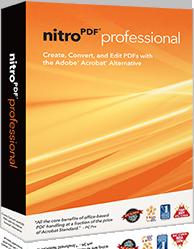
Express Overview
|

Create PDF
Create PDF and PDF/A
files from virtually any Windows application, with full
control over PDF output options. Offering one-click
conversion for many commonly-used file types (including
Microsoft Word, Excel, PowerPoint, WordPerfect, and more),
Nitro PDF Professional simplifies the PDF creation process.
All PDF files created with Nitro PDF Professional are 100%
compatible with other PDF viewing applications including
Adobe Reader and Adobe Acrobat.
|

|
| Edit PDF
Edit PDF content, no matter what it
is. From correcting minor typos and updating or removing
text, to advanced image editing tasks such as inserting,
replacing, cropping, resizing and downsampling, Nitro PDF
Professional makes it easy to make last-minute edits. Create
consistency throughout your documents by inserting headers,
footers, watermarks, page numbering and more. Edit document
properties and optimize PDF for distribution, creating
polished, recipient-ready PDF files.
|

|
Convert PDF
Easily convert PDF to
Word and PDF to RTF with industry-leading accuracy, enabling
quick content reuse in Microsoft Word, WordPerfect,
OpenOffice and more. Extract text and images from PDF files
in a single click, for trouble-free repurposing in other
programs. Copy entire blocks of text or take snapshots of
PDF pages for quick pasting into another document.
|

|
OCR PDF
Create PDF files you can
search, edit, comment, and copy, from paper or image-based
documents. With OCR, you'll never have to retype any text.
Quickly and easily create a PDF file that's perfect for
editing, sharing, and storing.
OCR is available at
additional cost.
|

|
Review &
annotate PDF
Streamline processes and
eliminate paper waste through electronic document review.
Use Nitro PDF Professional's intuitive commenting tools to
add notes, text feedback, drawing markups and more. Reply to
feedback from others, or view, consolidate, organize and
summarize reviewer comments, all from a single location.
Efficiently collaborate and share your comments with Adobe
Acrobat and Adobe Reader users.
|

|
PDF forms
Create PDF forms quickly
and easily using a robust set of form design and editing
tools. In just a few clicks, turn static PDF documents into
professional-looking PDF forms containing text fields,
buttons, checkboxes, JavaScript and more. Fill in, submit,
print and save PDF forms, all without breaking the bank.
|

|
| Secure PDF
Control how people view and use your
sensitive and confidential information through robust PDF
encryption. Use passwords and digital certificates to
restrict who can open files and perform other tasks such as
printing, editing, copying and form filling. Use digital
signatures and certification to ensure document integrity
and prevent content tampering.
|

|
Assemble
& combine PDF
Combine documents,
spreadsheets, presentations and more into a single, polished
PDF file. Nitro Pro's powerful editing tools enable you to
reorder, delete, insert, extract, replace, split, and rotate
pages, providing you precise control over your entire
document while guaranteeing your information is presented
exactly as intended. |

|
|
|

Go Back To Top
|

Create PDF.
Create PDF files from
virtually any Windows application, with full control over PDF
output options. Offering one-click conversion for most
commonly-used file types (including Microsoft Word, Excel,
PowerPoint, WordPerfect, and more), Nitro PDF Express simplifies
the PDF creation process. All PDF files created with Nitro Express
are 100% compatible with other PDF viewing applications including
Adobe Reader and Adobe Acrobat.
Convert PDF to
Microsoft Word.
Convert PDF back to the
Microsoft Word format with industry-leading accuracy, enabling
quick content reuse in Microsoft Word and other word processing
applications. Create fully-formatted, and highly-editable Word
files that retain graphics, text formatting, paragraphs, columns,
tables, headers & footers, and more — making repurposing
faster and pain-free.
Combine files to
PDF.
Quickly combine different
kinds of files — reports, presentations, spreadsheets, charts,
drawings, photos, and more — into the one, easy-to-distribute
PDF file.
Extract and split
pages from PDF files.
Easily reuse pages from your
existing PDF files — extract pages from PDF files or split them
up based on page groups and page ranges.
Secure your work.
Control how people view and
use your sensitive and confidential information through strong
128-bit PDF encryption. Use passwords to restrict who can open
files and perform other tasks such as printing, editing, copying
and form filling.
Do it all in batch.
Nitro PDF Express is the
only product in its class to offer batch-processing functionality
across its full range of powerful features.
|
|
Questions or problems regarding this web site should be directed to
E-mail Us.
Copyright © 2008 Regal Computer Consultants. All rights reserved.
|
|
|